Dodge Mode
Dodge Mode
Dodge is an exclusive mode for morasooma server, with its own storyboard and skin editor.
What is it?
It's a Bullet Hell-themed mode synchronized with the rhythm, like Touhou or Just Shapes & Beats.
To start playing, change the mode in top left to Dodge or press Ctrl+5.
Editor
For mapping, you don't need to choose the background, music and title from the start, you can choose any map from a different mode and choose Dodge when editing, this way a new Dodge map will be created.
In map settings, you can change the speed, size and HP of a player, bullet size, object approach rate and graze distance.
Graze is an area around a player that gives you additional points if a bullet goes in it.
Timeline
There is a custom timeline for Dodge, where each object has its own color. This was made for cases with a big amount of objects. When clicked on an object on a timeline, the whole object group would show.

Patterns
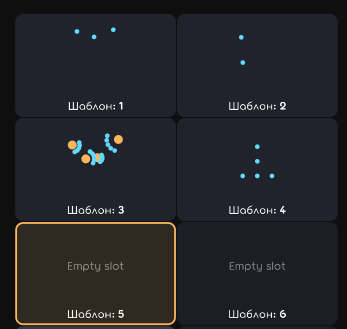
A handy tool for quick placement of user-made patterns with a preview. For saving your own pattern, select it, then click on an empty slot.
View
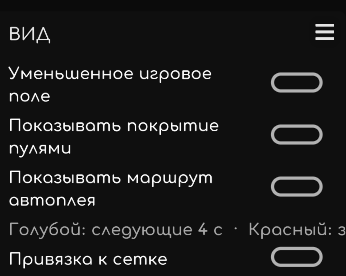
Smaller playfield - makes the playfield smaller for more convenient object placing.
Show bullet coverage - toggles a coverage map shown with a red color.
Show autoplay route - shows a perfect map completion.
Grid snap - toggles a grid that all objects would snap to.
Game objects
Bullet
Flies up to an endpoint. You can change the appearance, flight speed, movement type, color and shape.
Emitter
Same as the bullet, but you can change the bullet amount, the angle and amount of repeats.
Arena
Area that a player is able to be in. You can rotate it, change its color, size and movement type.
Beam
Makes a solid rectangle area between two points. You can change color and width.
Camera
Changes all objects movement (except for arena). You can change the movement type.